Skip to content
Koala Docs
Main Navigation
简体中文
繁體中文
English
日本語
한국어
Return to top
On this page
輔助小白點教學
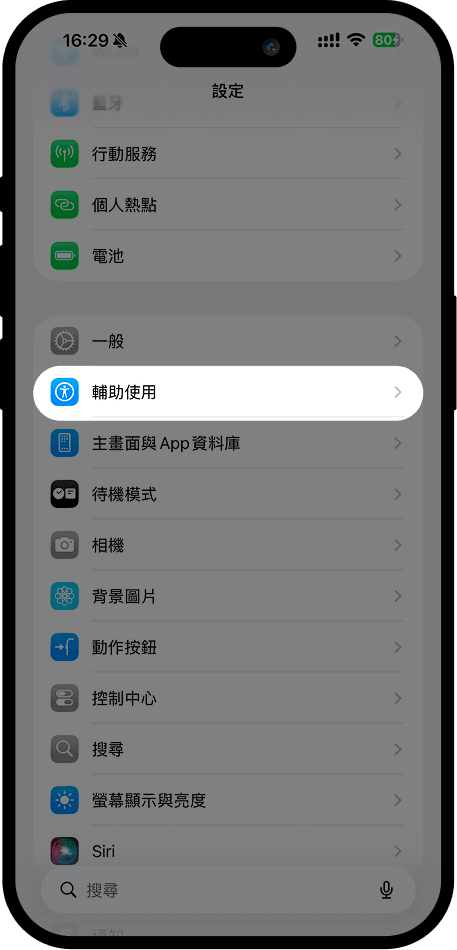
1. 打開手機「設定」,選擇「輔助使用」
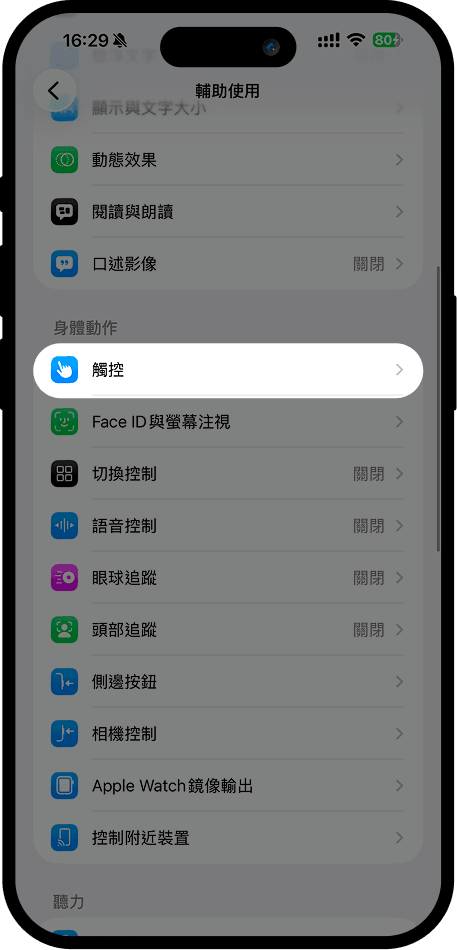
2. 在「輔助使用」頁面中找到「觸控」並點擊
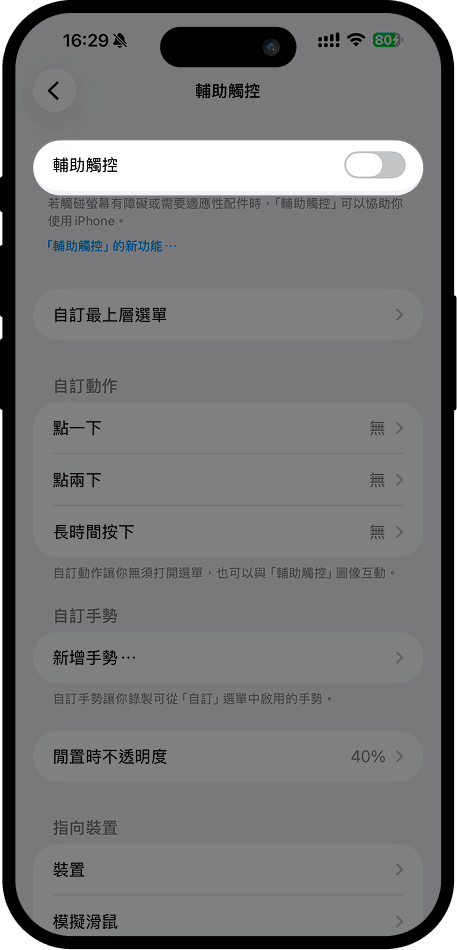
3. 在「觸控」中找到「輔助觸控」並開啟
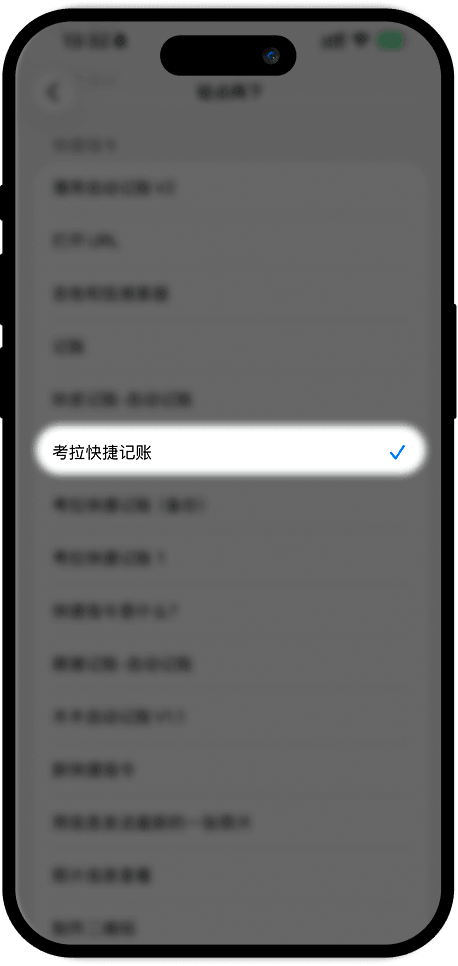
4. 還是在「輔助觸控」頁面找到「自訂動作」中的「點一下」後找到頁面底部的捷徑下的「考拉快捷記帳」並選中